
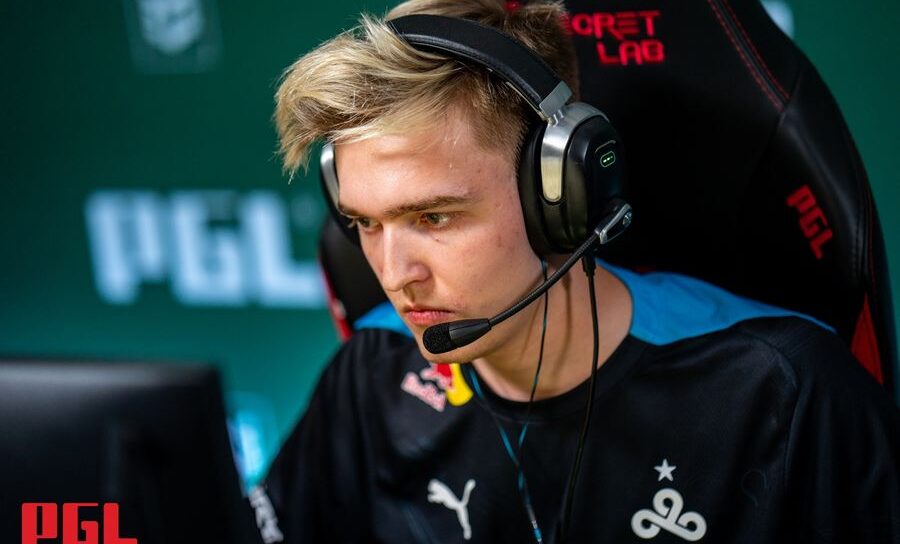
Learn from one of the best players in the world. Here are nafany's C:GO crosshair and video settings.
Vladislav “nafany” Gorshkov plays the role of IGL and entry fragger for Cloud9. The former Gambit esports player is often one of the biggest reasons why his team gets an entry into bomb sites. Here are nafany’s CS:GO crosshair and video settings.
Nafany CS:GO crosshair settings
The CS:GO crosshair is the first experience for any CS:GO player. The crosshair is the focal point on your screen. You use the crosshair to aim at the opponent and the design of the crosshair ultimately depends on your performance.
| Drawoutline | 0 | Alpha | 255 |
| Color | 2 | Blue | 50 |
| Green | 250 | Red | 50 |
| Dot | 0 | Gap | -3 |
| Size | 2 | Style | 4 |
| Thickness | 1 | Sniper Width | 2 |
Nafany mouse settings
Here are nafany’s mouse settings. He uses the Razer Viper Ultimate mouse and has a WIndows sensitivity of 6. With a DPI of 400, nafany has more mouse movement compared to some of his peers.
| DPI | 400 | Sensitivity | 2.00 |
| eDPI | 800 | Zoom Sensitivity | 1 |
| Hz | 1000 | Windows Sensitivity | 6 |
| Raw Input | 1 | Mouse Acceleration | 0 |
Viewmodel settings
| FOV | 68 | Offset X | 2.5 |
| Offset Y | 0 | Offset Z | -1.5 |
| Presetops | 3 | Shift Left Amt | 1.5 |
| Shift Right Amt | 0.75 | Recoil | 0 |
Nafany’s CS:GO bob settings
The bob settings determine how much your in-game character moves up and down during movement. At the highest levels, the bob settings can be a distraction. Alternatively, a single second of extra visibility will be beneficial as that can mean an extra second of reaction time.
| Lower Amt | 21 |
| Amt Lat | 0.33 |
| Amt Vert | 0.14 |
| Cycle | 0.98 |
Nafany video settings
Video settings depend on your hardware. A higher-end video card or processor can handle higher video resolutions and settings. However, not every player has the latest Graphics cards and as such you can change your video settings to optimize your performance.
| Resolution | High | Aspect Ratio | Low |
| Scaling Mode | Disabled | Effect Detail | Low |
| Shader Detail | Low | Boost player Contrast | Enalbled |
| Multicore Rendering | Enabled | Multisampling Anti-Aliasing Mode | 4X MSAA |
| FXAA Anti-Aliasing | Disabled | Texture Filtering Mode | Bilinear |
| Wait for Vertical Sync | Disabled | Motion Blur | Disabled |
| Triple-Monitor Mode | Disabled | Use Ubser Shaders | Disabled |
Nafany uses the ZOWIE XL2546 monitor. The monitor is a 240Hz monitor that provides the best resolution for professional CS:GO players. He uses the Razer Viper Ultimate mouse while his keyboard of choice is the Steelseries Apex Pro TKL.
Check out some other CS:GO crosshair settings:
- electronic CS:GO crosshair
- Twistzz CS:GO crosshair
- KarrigaN crosshair
- Spinx CS:GO crosshair
- JKS CS:GO crosshair
- Yekindar CS:GO crosshair
Stay tuned to esports.gg for the latest CS:GO news and updates. You can also check out our CS:GO crosshair pages here.