


Your total League of Legends playtime might be higher than you think. Here’s how to check your exact hours.
League of Legends is one of the most popular esports titles around. Millions of players log in to play MOBA every single day. Whether that is playing LoL’s competitive mode, or chilling with your friends on ARAM, there is plenty of ways to spend your time. Here is how you can check how much time you have spent on League of Legends.
How to check time played in League of Legends (quick answer)
- Open the LoL client → Profile → Stats to see seasonal playtime
- Use wol.gg to check your total lifetime hours played
How much time have I wasted on LoL?
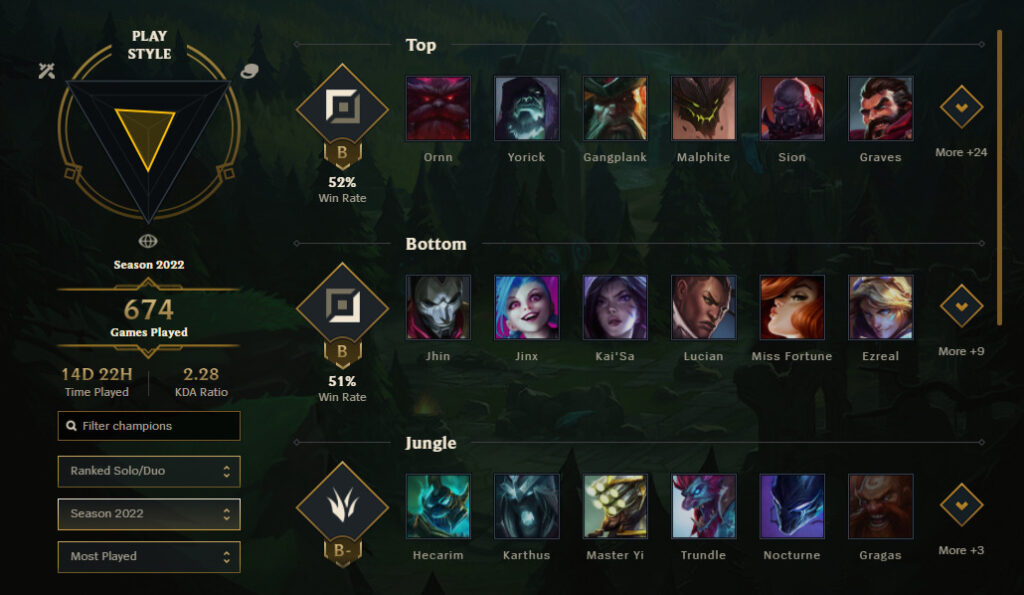
There are two ways you can check how much time you have spent on League of Legends. The first is through the League of Legends client, while the second one – which gives the exact amount will be through a third-party site, wol.gg. Here’s a detailed explanation of each method.
⚠️ Warning: Your total playtime might be higher than you expect.
Method 1: Check time played in the LoL client
- Open the League of Legends client
- Click your profile icon in the navigation bar
- Go to the Stats tab (furthest right)
- Your time played will appear on the left side
Note: The client only shows time played for the current season. You can use the dropdown to view previous seasons.
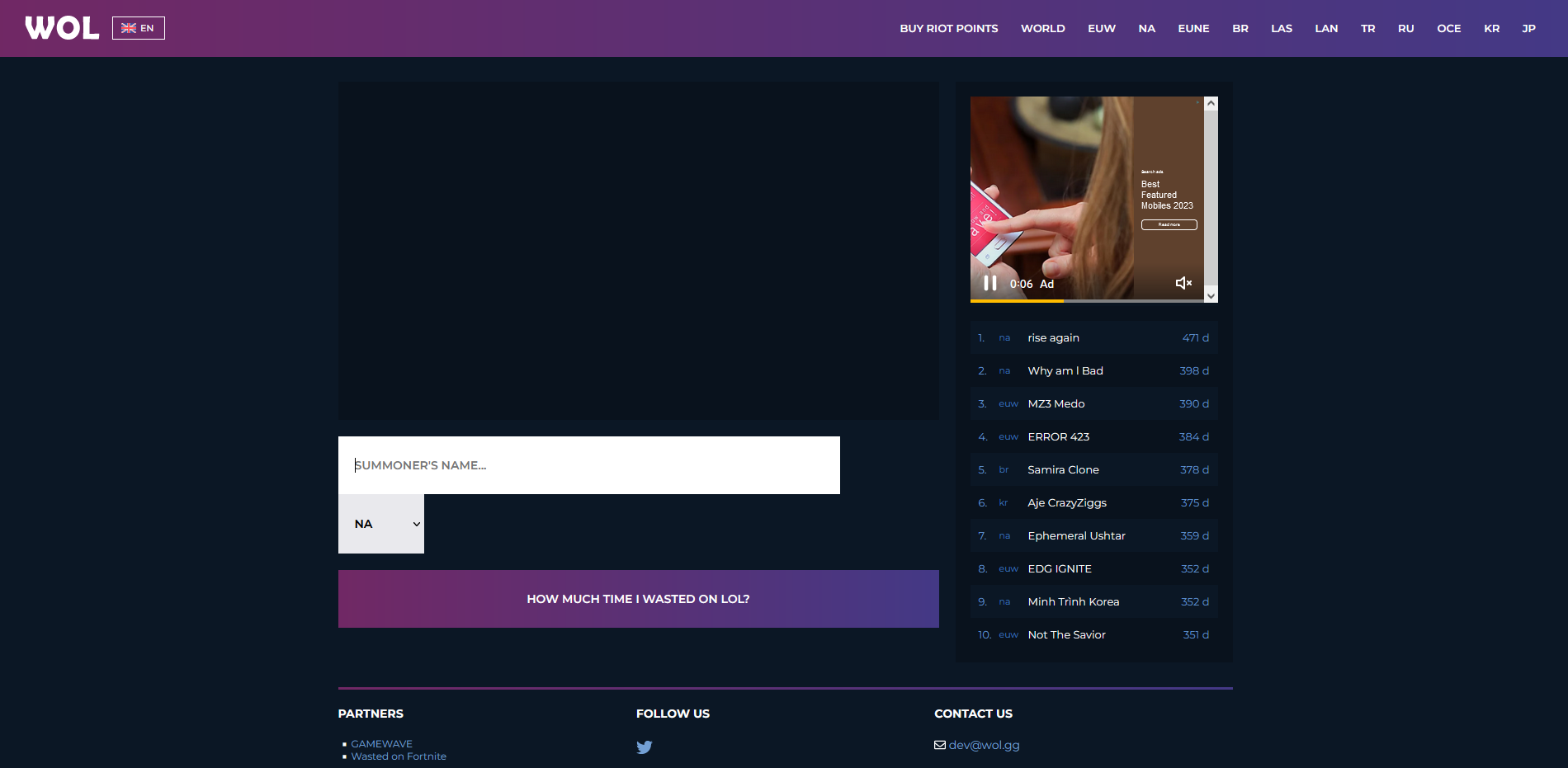
Method 2: Check total hours using wol.gg (most accurate)
- Go to wol.gg
- Select your region
- Enter your summoner name
- Press enter to view your profile
Your total time played will be shown in minutes, hours, and days, along with how you rank compared to other players.
Which method should you use?
- LoL client → Quick, but limited to seasonal data
- wol.gg → Full lifetime playtime (most accurate)
Why check your time played?
- Find out if you’ve spent hundreds (or thousands) of hours on LoL
- Compare your grind with other players
- See just how much time ranked and ARAM have taken
- Realize whether it’s dedication… or addiction
Checking your total time played in League of Legends can be both a blessing and a curse. Whether you use the client for a quick answer or wol.gg for a deeper look, one thing is certain: you won’t be able to unsee it.