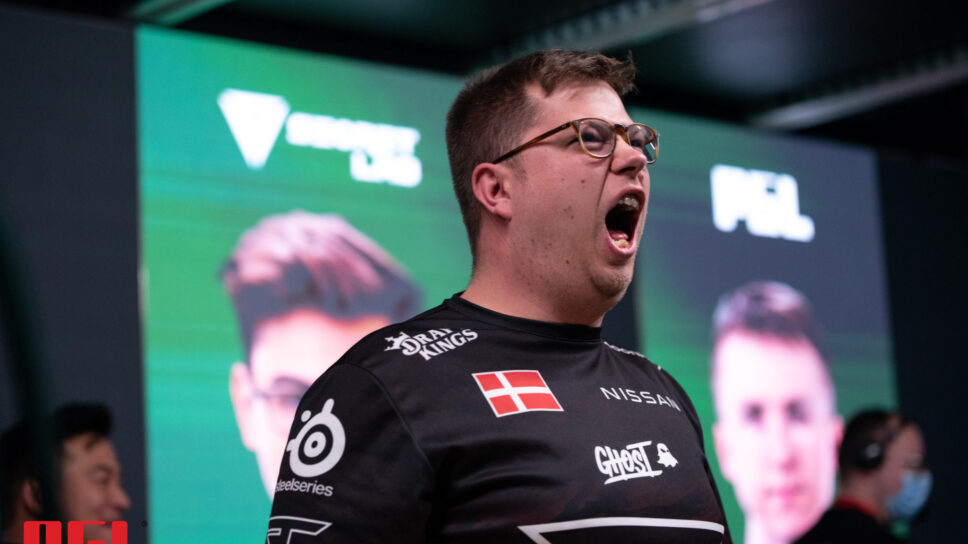
KarrigaN has led many youngsters to stardom. The journey of this Danish CS:GO veteran has been nothing short of inspiring.
Finn “karrigan” Andersen is one of the most respected In-Game leaders in Counter-Strike. The veteran player has competed on teams such as Dignitas, Astralis, mousesports, and more recently FaZe Clan. While he is best known for his leadership skills, the player often brings out some amazing performances that make you take notice. If you want to replicate some of his performances, maybe KarrigaN’s CS:GO crosshair and video settings might help.
KarrigaN CS:GO crosshair
The CS:GO crosshair is the first thing most players encounter when they play the game. You use the crosshair to aim and a decent crosshair aids you with your aim. The CS:GO crosshair depends on an individual’s preference. Here are KarrigaN’s CS:GO crosshair settings.
| drawoutline | 0 | Alpha | 1000 |
| Color | 1 | Blue | 50 |
| Green | 250 | Red | 50 |
| Dot | 0 | Gap | -3 |
| Size | 2.5 | Style | 4 |
| Thickness | 0 | Sniper Width | 1 |
What are KarrigaN’s viewmodel settings?
What is the viewmodel? The viewmodel determines the shape and size of the in-game character. At the highest levels, the non-customized viewmodel might sometimes serve as a distraction to pro players. This is why players often choose to alter their viewmodel so they can focus solely on their gameplay. Here are KarrigaN’s viewmodel settings.
| FOV | 68 | Offset X | 2.5 |
| Offset Y | 0 | Offset Z | -1.5 |
| Presetops | 3 | Shift Left Amt | 0.5 |
| Shift Right Amt | 0.25 | Recoil | 0 |
| Righthand | 1 |
Bob settings
When you run around the map, your weapon’s model might move up and down. This leads to distractions for some players. Here are KarrigaN’s bob settings.
| Lower Amt | 21 |
| Amt Lat | 0.4 |
| Amt Vert | 0.25 |
| Cycle | 0.98 |
What are karrigaN’s CS:GO video settings?
The video settings depend on your hardware, including graphics card, CPU and more. here are KarrigaN’s CS:GO video settings.
| Resolution | 1920 x 1080 | Aspect ratio | 16:9 | Scaling mode | Native |
| Color mode | Computer Monitor | Brigthness | 93% | Display mode | Fullscreen |
| Global Shadow quality | Very Low | Model/Texture detail | Low | Texture streaming | Disabled |
| Effect detail | Low | Shader detail | Low | Boost player contrast | Enabled |
| Multicore rendering | Enabled | Multisampling Anti-Aliasing Mode | 8 x MSAA | FXAA Anti-Aliasing | Disabled |
| Texture Filtering mode | Anisotropic 8x | Wait for Vertifcal sync | Disabled | Motion Blur | Disabled |
| Triple-Monitor mode | Disabled | Use Ubser shaders | Disabled |
Check out some other CS:GO crosshairs:
- electronic CS:GO crosshair
- nafany CS:GO crosshair
- Twistzz CS:GO crosshair
- Spinx CS:GO crosshair
- JKS CS:GO crosshair
- Yekindar CS:GO crosshair
- mONESY CS:GO crosshair
Stay tuned to esports for the latest CS:GO news and updates. You can also check out other CS:GO crosshairs here.