

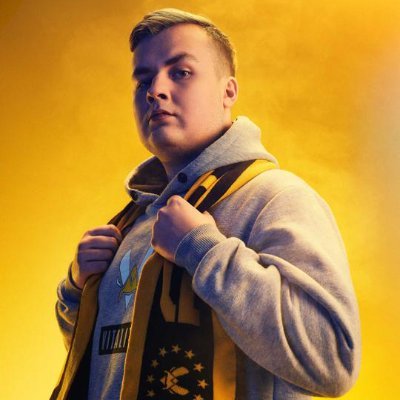
Can the VCT Champs 2021 winner repeat the same performance on Vitality?
Santeri “BONECOLD” Sassi was part of the ACEND team that won the inaugural VALORANT Champs in 2021. However, the roster fell off soon after and did not have any more notable performances. Here are BONECOLD’s VALORANT crosshair and keybinds.
BONECOLD’s VALORANT crosshair
The VALORANT crosshair forms the crux of any player’s in-game performance. The crosshair often determines how well you play. If you are not having a great game, it’s easy to blame the crosshair and the hardware. But before you do that, why not take some time to optimize your crosshair as per your requirements and needs. Here’s BONECOLD’s VALORANT crosshair for reference.
| Color | Green | Crosshair color | 00FF00 |
| Outlines | Off | Center Dot | Off |
| Show Inner Lines | On | Inner Line Opacity | 1 |
| Inner Line Length | 2 | Inner Line Thickness | 2 |
| Inner Line Offset | 1 | Show Outer Lines | Off |
BONECOLD’s keybinds in VALORANT
The default keybinds in VALORANT might not be everyone’s cup of tea. Or coffee if you prefer. Anyways, if you want some ideas on what keybinds are good in VALORANT, here are BONECOLD’s VALORANT keybinds.
| Walk | L-Shift | Crouch | L-Ctrl | Jump | Space Bar |
| Use Object | F | Equip Primary Weapon | 1 | Equip Secondary Weapon | 2 |
| Equip Melee Weapon | 3 | Equip Spike Weapon | 4 | Use Ability 1 | E |
| Use Ability 2 | Q | Use Ability 3 | C | Use Ultimate Ability | X |
Video settings
The video settings depending on your hardware setup and how well your system can handle the extremities and demands of graphics-heavy games. BONECOLD’s system has an AMD Ryzen 5 5600X and a 3060TI, which is near the higher end of the spectrum. Here are his video settings.
| Resolution | 1280 x 960 | Aspect Ratio | 4:3 | Aspect Ratio method | Fill |
| Display Mode | Fullscreen | Multithread Rendering | On | Material Quality | Low |
| Texture Quality | Low | Detail Quality | Low | UI Quality | Low |
| Vignette | Off | Vsync | Off | Anti-aliasing | None |
| Anisotropic Filtering | 1x | Improve Clarity | Off | Experimental Sharpening | Unknown |
| Bloom | Off | Distortion | Off | Cast Shadows | Off |
Mouse settings
BONECOLD uses a Razer Deathadder V3 Pro. For the monitor, he uses the ZOWIE XL2540 monitor which has a 240Hz refresh rate. He uses the Logitech G Pro X Keyboard. Here are BONECOLD’s mouse settings.
| DPI | 800 | Sensitivity | 0.27 |
| eDPI | 216 | Zoom Sensitivity | 1 |
| Hz | 2000 | Windows Sensitivity | 6 |
| Raw Input Buffer | On |
Stay tuned to esports for the latest VALORANT crosshair updates and VALORANT news.