
"During the delivery process, your address may become visible to gift purchasers through delivery updates and tracking information."
Amazon has announced an upcoming change to its Amazon Lists settings that will expand access to users’ shipping addresses. Read on for details plus our quick guide on how to make your Amazon wishlists private.
Amazon wishlist update affects address visibility
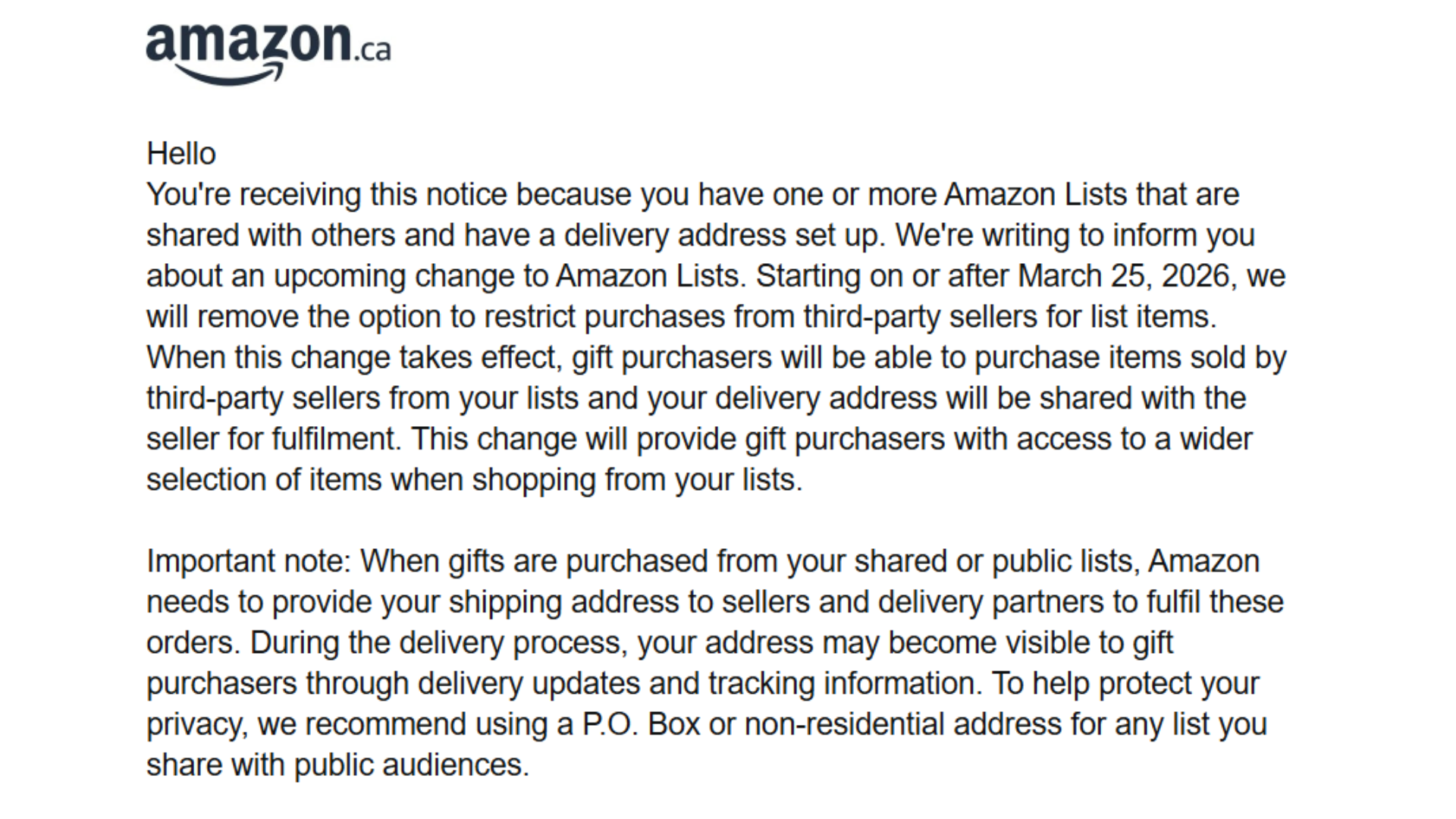
According to the update, Amazon will remove the option to restrict purchases from third-party sellers for Amazon List items starting “on or after March 25, 2026.” This means gift buyers will be able to buy items sold by third-party sellers from shared lists, Amazon will also share the list owner’s delivery address with those sellers to fulfill orders.
“When gifts are purchased from your shared or public lists, Amazon needs to provide your shipping address to sellers and delivery partners to fulfil these orders,” the update continued. “During the delivery process, your address may become visible to gift purchasers through delivery updates and tracking information.”
Amazon then recommended users to get either a non-residential address or P.O. Box for any lists that they share with the public.
Amazon gift address update concerns Twitch streamers, VTubers, and more
On social media, many users raised concerns about this upcoming change. Some users noted how the update will remove a safety feature that currently keeps addresses hidden form gift purchasers. Other users advised Twitch streamers and VTubers to start using a P.O. Box to reduce risks of doxing and harassment.
How to make your Amazon wishlist private
- Go to the Amazon Lists page.
- Check whether each list is labeled Private or Shared.
- If a list is Shared, click on it.
- Click on the three dots menu.
- Select Manage List.
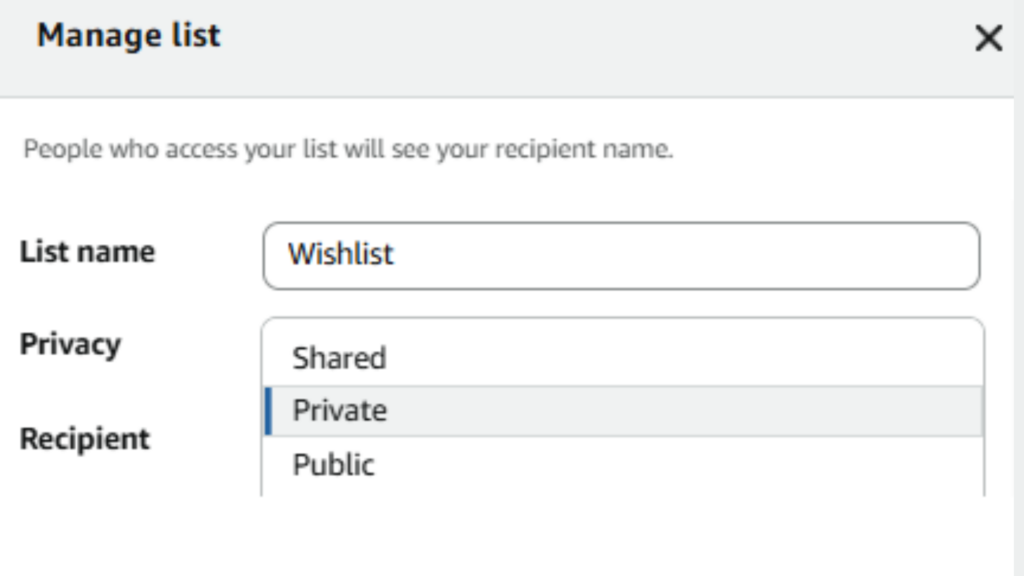
- In the Privacy section, choose Private.
- Click Save Changes to apply the update.
To manage the visibility of your lists on Amazon, head to the dedicated page for them and check if your lists are labeled “Private” or “Shared.” If it’s the latter, then click on it and press the three dots before selecting the “Manage List” option. In the “Privacy” Section, select “Private” and press the “Save Changes” button.
That’s all for now. Stick around on esports.gg for more news and updates.