
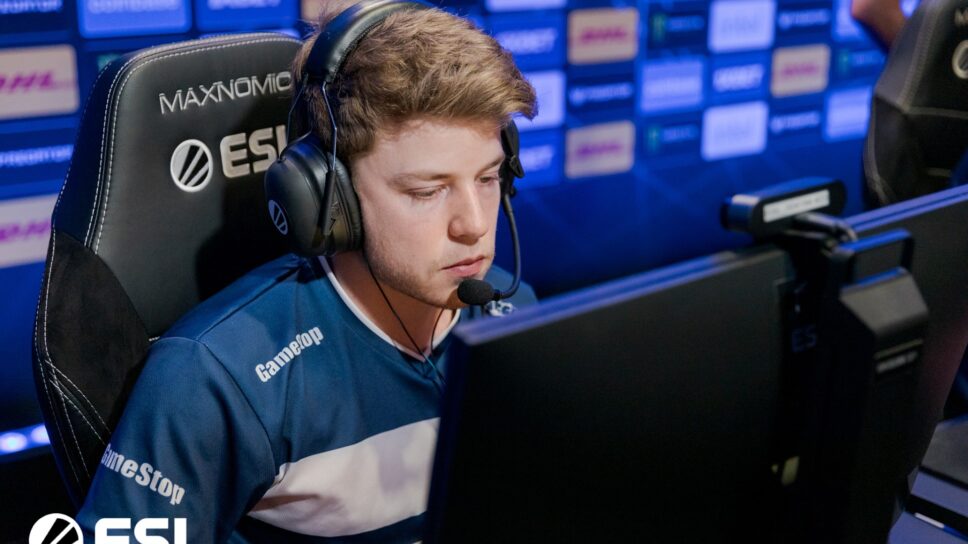
JKS is currently playing for G2 esports and helped them win the BLAST Premier World Finals.
After standing in for G2 esports at the BLAST Premier World Finals, jks has proved himself to be a payer worthy of competing at the highest stage. One of the most well-known players from down under, Justin “jks” Savage has played for a number of teams, often shining in whatever role is thrown his way. Here are his CS: GO crosshair and viewmodel settings.
JKS mouse settings
| DPI | 400 | Sensitivity | 1.7 |
| Hz | 4000 | Windows sensitivity | 6 |
| eDPI | 680 | Zoom Sensitivity | 1 |
| Raw Input | 1 | Mouse Acceleration | 0 |
JKS crosshair settings
Here are Jks’ CS: GO crosshair settings. He has a gap of -3 with no crosshair dot. With 0 thickness, jks’ crosshair is as thin as they get.
| Drawoutline | 0 | Blue | 50 |
| Alpha | 200 | Dot | 0 |
| Color | 1 | Gap | -3 |
| Red | 50 | Size | 2 |
| Green | 255 | Style | 4 |
| Thickness | 0 | Sniper Width | 1 |
Viewmodel
The ViewModel is dependent on the size of the weapon on your screen. The Viewmodel settings determine the size of the weapon on the screen. While most casual players should not have an issue with the viewmodel settings, as you go higher up the ranks, things will change and you might want to have a smaller size of the weapon.
| FOV | 68 | Shift Left Amt | 0.5 |
| Offset X | 2.5 | Shift Right Amt | 0.25 |
| Offset Y | 0 | Recoil | 0 |
| Offset Z | -1.5 | Righthand | 1 |
| Presetpos | 3 |
Jks CS: GO bob settings
The bob settings determine the weapon model’s movement as the character is running across the map. Sometimes it can act as a distraction to the player and adjusting the bob settings should help set things right.
| Lower Amt | 5 | Amt Vert | 0.1 |
| Amt Lat | 0.1 | Cycle | 0.98 |
What are Jks’ CS: GO launch options?
-noforcemaccel -noforcemparms -freq 240 -novid -tickrate 128 -high
Jks’s video Settings in CS: GO
| Resolution | 1024 x 768 | Model / Texture Detail | Low |
| Aspect Ratio | 4:3 | Effect detail | Low |
| Scaling Mode | Black Bars | Shader Detail | High |
| Global Shadow Quality | Low | Multisampling Anti-Aliasing Mode | 8 X MSAA |
| Texture Filtering Mode | Anisotropic 4x |
Stay tuned to esports for the latest CS: GO news and updates. You can also check out the list of CS: GO crosshair settings here.