

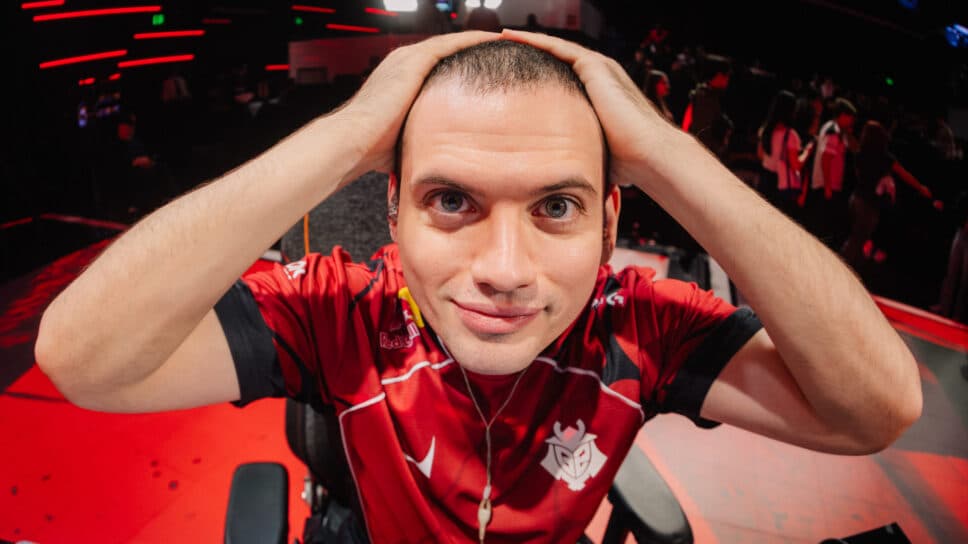
Do you want to play like a pro and try something new? Check out G2 babybay keybinds and settings in VALORANT!
Andrej "babybay" Francisty has recently moved out from the caster position to join the G2 Esports roster. From Overwatch to Crossfire and now VALORANT, babybay has previously competed for FaZe Clan before transitioning to broadcast work in 2024.
As one of the most recent surprises in the scenario, babybay will debut internationally at the Masters Santiago. But what keybinds and equipment settings does he use? Read on for G2 babybay’s settings.
G2 babybay: Mouse Settings
The pro player uses the ZOWIE XL2566X+ monitor, along with the Logitech G Pro X Superlight 2 Dex White mouse, the Logitech G Pro X TKL RAPID White keyboard, the HyperX Cloud Alpha headset, and the Gamesense Radar Asuka mousepad, with the iconic anime girl design.
- DPI: 800
- Sensitivity: 0.2
- Scoped Sensitivity: 1
- ADS Sensitivity: Unknown
- eDPI: 160
- Hz: 1,000
- Windows Sensitivity: 6
- Raw Input Buffer: Off
Crosshair
If you want to use G2 babybay’s crosshair, you can copy and paste the code into your game. Here is the code:
0;P;c;5;h;0;0t;1;0l;3;0a;1;0f;0;1t;0;1l;0;1o;0;1a;0;1m;0;1f;0
- Color: Cyan
- Crosshair Color: #00ffff
- Outlines: Off
- Center Dot: Off
Inner Lines
- Show Inner Lines: On
- Inner Line Opacity: 1
- Inner Line Length: 3
- Inner Line Thickness: 1
- Inner Line Offset: 3
- Movement Error: Off
- Firing Error: Off
Outer Lines
- Show Outer Lines: Off
- Outer Line Length: 0
- Outer Line Thickness: 0
- Outer Line Offset: 0
- Movement Error: Off
- Firing Error: Off
G2 babybay: Keybinds
- Walk: L-Shift
- Crouch: L-Ctrl
- Jump: Mouse Wheel Down
- Use Object: F
- Equip Primary Weapon: 1
- Equip Secondary Weapon: 2
- Equip Melee Weapon: 3
- Equip Spike: 4
- Use/Equip Ability 1: C
- Use/Equip Ability 2: E
- Use/Equip Ability 3: Q
- Use/Equip Ability Ultimate: X
Map
- Rotate: Rotate
- Fixed Orientation: Based on Side
- Keep Player Centered: Off
- Minimap Size: 1.1
- Minimap Zoom: 0.8
- Minimap Vision Cones: On
- Show Map Region Names: Always
G2 baby: Video settings
- Resolution: 1920x1080
- Aspect Ratio: 16:9
- Aspect Ratio Method: Fill
- Display Mode: Fullscreen
- Multithreaded Rendering: On
- Material Quality: Low
- Texture Quality: Low
- Detail Quality: Low
- UI Quality: Low
- Vignette: Off
- VSync: Off
- Anti-Aliasing: None
- Anisotropic Filtering: 1x
- Improve Clarity: Off
- Experimental Sharpening: Off
- Bloom: Off
- Distortion: Off
- Cast Shadows: Off
- Enemy Highlight Color: Yellow (Deuteranopia)
It's important to remember that simply using a professional player's settings won't automatically improve your skills. However, it can offer you valuable insights into the settings you might prefer.
Don't forget that many guides on the internet can help you solve core problems in your gameplay, such as movement, micro and macro gaming, and many more. Have fun in your VALORANT games, be nice, and keep practicing to get to a higher rank!


