


This mythic Magma Titan Doomfist skin is absolute fire. Here’s how to unlock all of its customizations.
Overwatch 2 Season 20's midcycle has arrived with a brand-new mythic that players can add to their collection. Introducing the Magma Titan Doomfist skin! Read on for a closer look at this mythic and the details on how to unlock it.

Overwatch 2 Magma Titan Doomfist skin
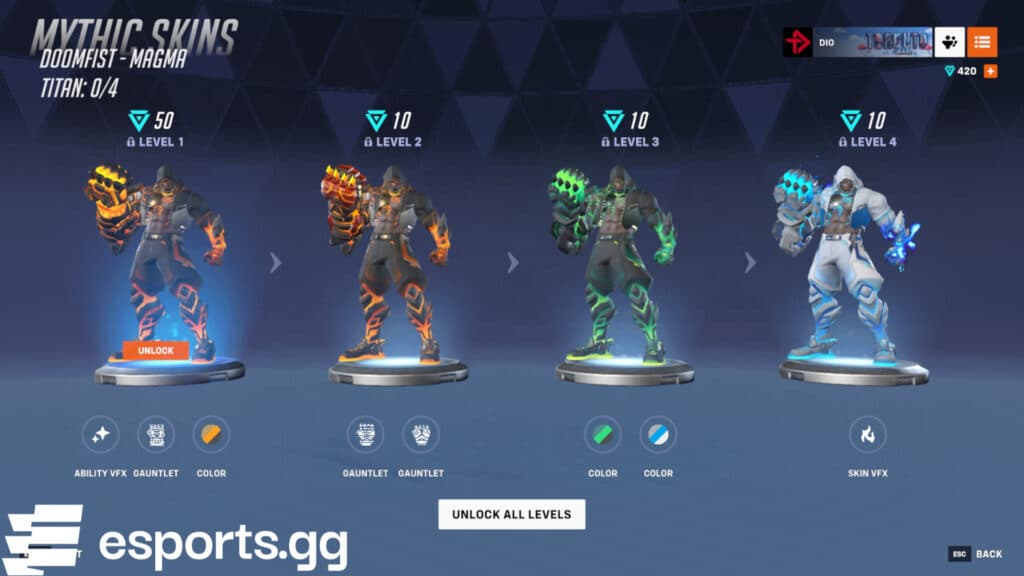
This gorgeous Magma Titan Doomfist skin in Overwatch 2 can be accessed by heading to the in-game shop and clicking on the "Mythic" tab. From there, you can get a closer look at all of its customizations. In addition to the base version, the other Magma Titan Doomfist customizations come in red, green, and blue.

How to unlock Magma Titan Doomfist mythic skin
Unlocking the base version of this Doomfist mythic skin requires 50 Mythic Prisms. This is an in-game currency that can be obtained via the shop or earned via the Premium Battle Pass. After you get the base version, you can start unlocking the other three levels for 10 Mythic Prisms each. If you already have 80 Mythic Prisms ready, then you can press the "Unlock All Levels" button to get everything immediately as well.
Before you add anything to your collection, however, you do have the option to try out the new skin and all of its customizations. Simply click into one of them and press the "Try Out" button. Refer to the red arrow in our screenshot below. We clicked into the final customization in blue to access all of the different options.
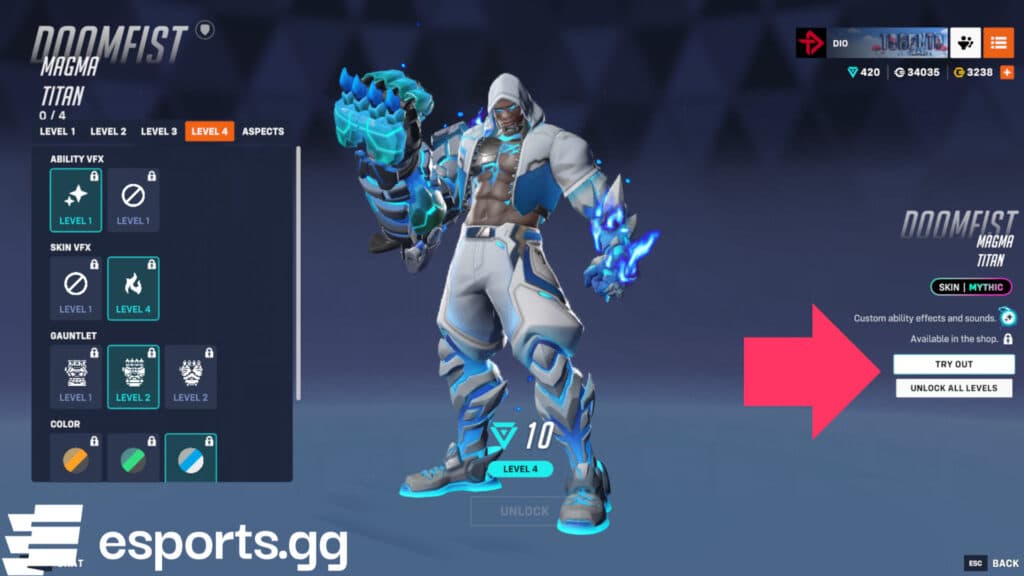
After pressing the "Try Out" button, you should be in the Practice Range. Take this time to use all of Magma Titan Doomfist's moves and revel in the glory of his visual effects! His fist drips magma, which looks great in battle.

That's all for now. Will you be adding the new Doomfist mythic skin to your collection? Stick around on esports.gg for more news and updates!


