

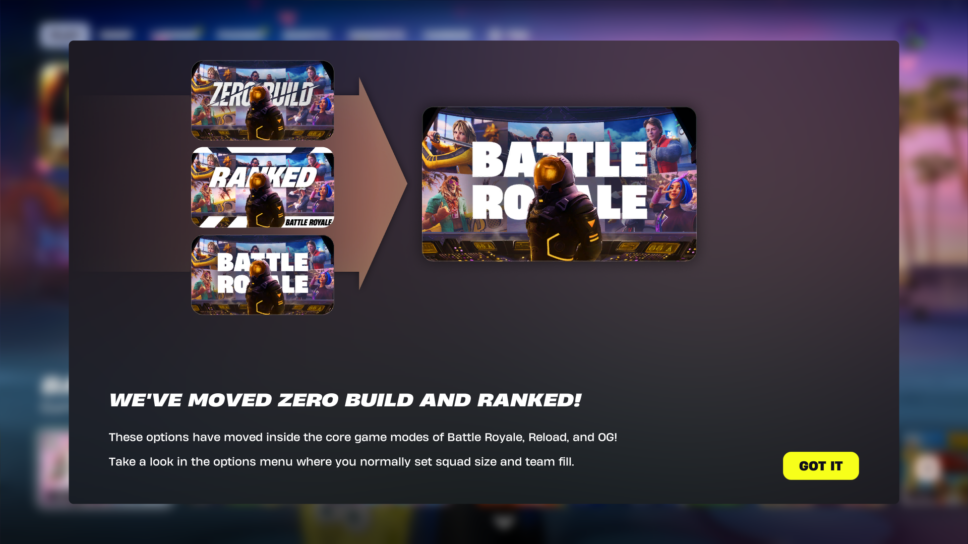
Fortnite did not remove Zero Build. However, the game did move Zero Build to another location. Here's how to find it!
Epic Games just launched Fortnite’s Valentine’s Day update, dubbed ‘Love and Legends.’ As a result, the developers deployed some user interface (UI) changes to the lobby. This has players wondering if Fortnite removed Zero Build. However, it’s still there, and we have all the steps you need to take to find it!
How to find Fortnite Zero Build following the Feb. 5 update
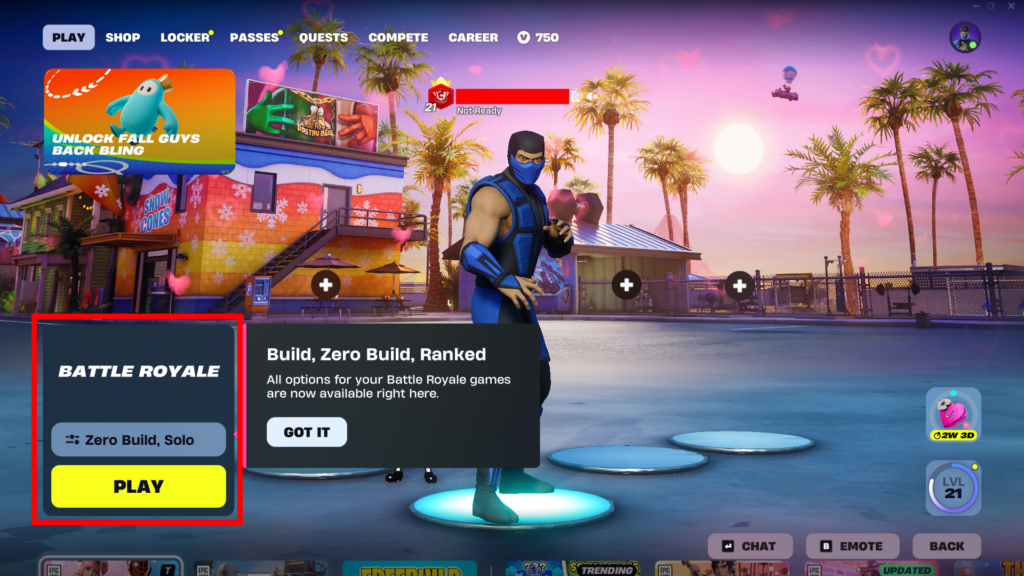
Fortnite did not remove Zero Build; instead, it relocated it to a different, more compact area of the ‘Discover’ menu. Below, we have provided comprehensive steps with screenshots to explain how you can find Zero Build in the game’s current state:
- From the lobby, scroll down until you find the ‘Battle Royale’ category
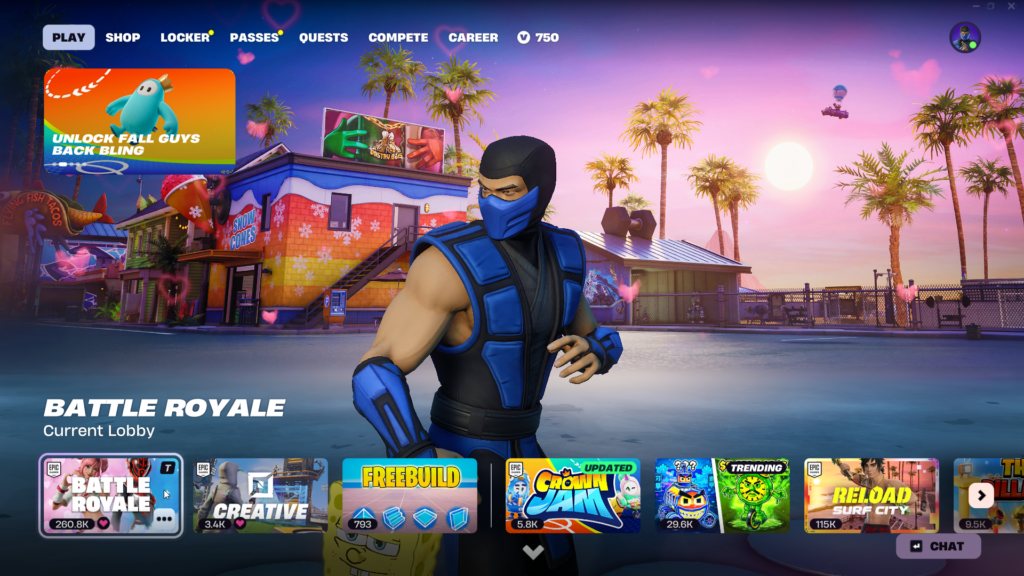
- Click on ‘Battle Royale’ and scroll back up until you see the screen below, and click the button above ‘PLAY’
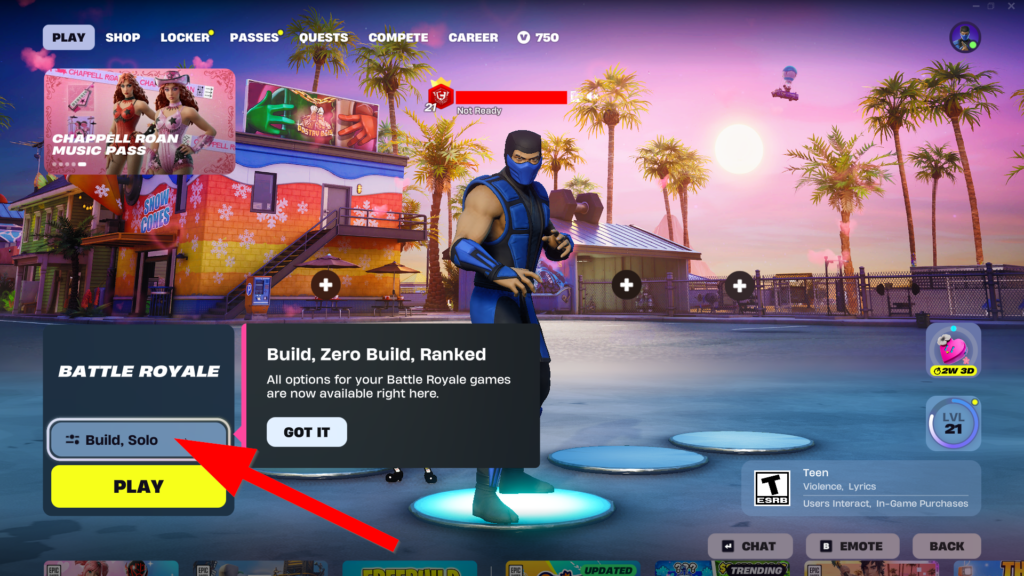
- The screen below is where you can toggle ‘Build’ or ‘Zero Build’
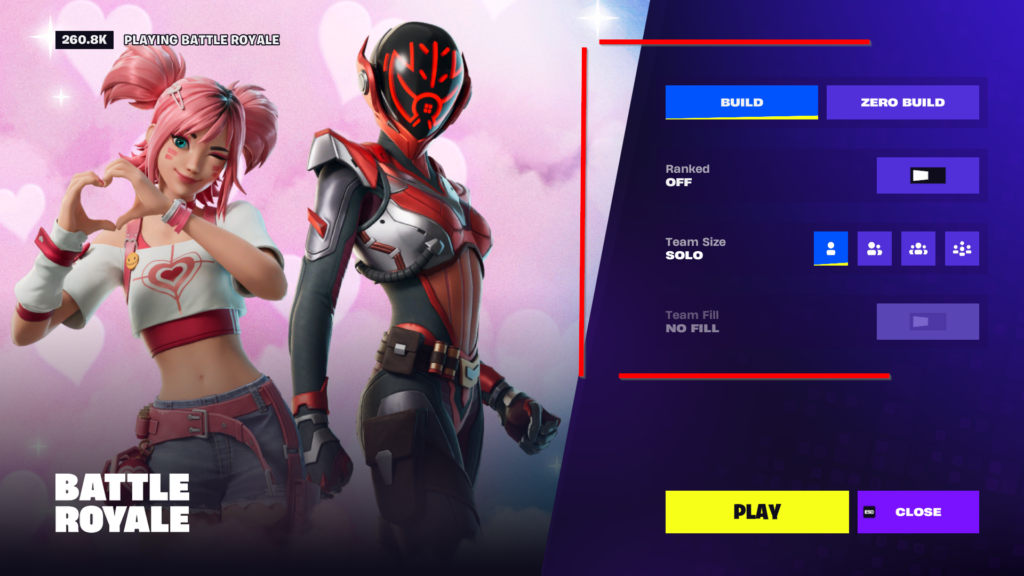
- Select ‘Zero Build,’ followed by whether you want Ranked and which team size
- Click ‘PLAY’ and head back to the lobby to queue for a match
Why did Epic Games make this change?
It’s unclear what led to these changes, since it was easier to identify where to find Battle Royale versus Zero Build before the update. However, this may reduce clutter in the ‘Discover’ menu.
In any case, Epic Games did not remove Zero Build from Fortnite. It remains one of the more popular game modes among fans who prefer not to use the game’s building mechanic. For now, you can find Zero Build and the many other options as outlined above.
This could change in the future, at which point we’ll be sure to update you with any further instructions. Fortnite’s most recent update also kicked off the Valentine’s Day event, where you can earn free rewards by playing either Build or Zero Build.