

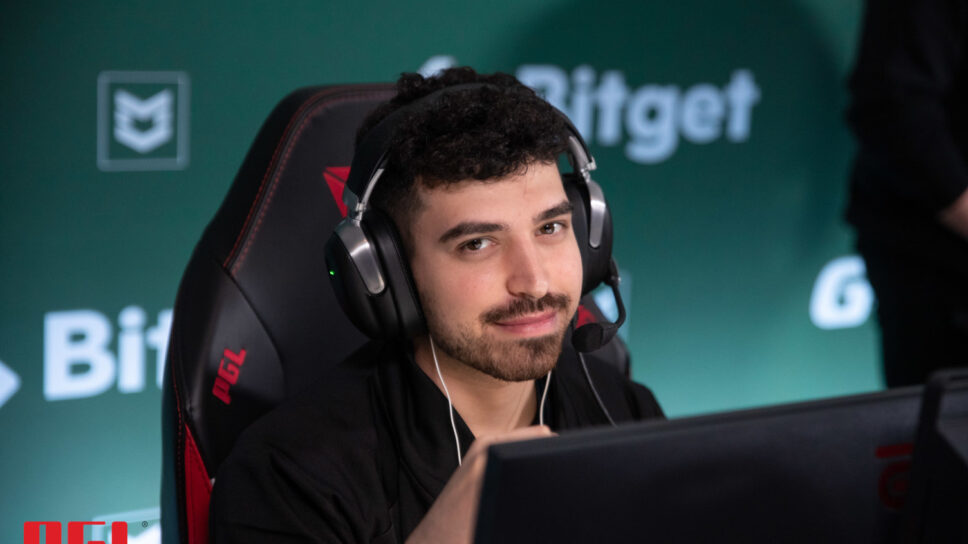
A player who might be overshadowed by some of the bigger names on the team, but still stands tall in the star-studded roster.
Currently playing for Team Vitality, Lotan “Spinx” Giladi rose to fame during his time on ENCE. The 22-year-old Israeli player has adapted to the new star-studded Vitality roster and today is a key component of their project. Here are Spinx’s CS:GO crosshair and video settings.
In August last year, Vitality signed one of the most promising riflers at the time, Spring to its CS:GO roster. The youngster had proven himself on ENCE against some of the best talent in the world. His ability to win clutch situations as well as sometimes gaining entry frags into bombsites made him an invaluable part of any team he would join. His skillset provided a nice balance to the star-studded team of Team Vitality. Even though he might not be the star on the team, his uncanny ability to get crucial frags significantly raised the team’s chances of winning.
Spinx CS:GO crosshair settings
Undoubtedly, the crosshair is the first thing any CS:GO player alters when he sits in front of the computer. The crosshair directly impacts your aim and your ability to get frags on the scoreboard. Different players have different preferences, and we have seen players put up some really weird crosshairs from time to time. Here are Spinx’s CS:GO crosshair settings.
| drawoutline | 1 | alpha | 255 | color | 5 |
| Blue | 0 | Green | 255 | red | 155 |
| dot | 0 | gap | -3 | size | 1.5 |
| style | 4 | thickness | 1 | sniper width | 1 |
What are Spinx’s video settings?
The video settings also have an impact on a player’s reaction time. A higher frame rate is universally preferred, but of course, it should not hinder the video quality by too much. Striking a balance between good video and FPS comes down to two factors – your hardware and your individual preferences. Here are Spinx’s video settings.
| Resolution | 1280 x 960 | Aspect Ratio | 4:3 | Scaling Mode | Stretched |
| Color Mode | Computer Monitor | Brightness | 120% | Display Mode | Fullscreen |
| Global Shadow Quality | High | Model / Texture Detail | Low | Texture Streaming | Enabled |
| Effect Detail | Low | Shader Detail | Low | Boost player contrast | Enabled |
| Multicore Rendering | Enabled | Multisampling Anti-Aliasing Mode | 4 X MSAA | FXAA Anti-Aliasing | Disabled |
| Texture Filtering Mode | Anisotropic 8x | Wait for vertical sync | Disabled | Motion Blur | Disabled |
| Triple-Monitor MOde | Disabled | Use Uber Shaders | Enabled |
Bob settings
The bob setting in CS:GO is one that controls the amount of vertical gun movement when a player is running across the map. The vertical gun movement can be reduced, thereby reducing distractions and more importantly, ensuring you have a faster reaction time.
| Lower Amt | 21 | Amt Lat | 0.33 |
| Amt Vert | 0.14 | Cycle | 0.98 |
Spinx’s CS:GO viewmodel settings
| FOV | 68 | Offset X | 2.5 |
| Offset Y | 0 | Offset Z | -1.5 |
| Presetops | 3 | Shift Left Amt | 1.5 |
| Shift Right Amt | 0.75 | Recoil | 0 |
Mouse settings
Here are Spinx’s mouse settings. Spinx uses a Razer Deathadder V3 Pro.
| DPI | 900 | Sensitivity | 1.1 |
| eDPI | 990 | Zoom Sensitivity | 1.00 |
| Hz | 1000 | Windows Sensitivity | 6 |
| Raw Input | 1 | Mouse Acceleration | 0 |
Spinx’s launch options are very similar to what most other pros use:
+exec autoexec.cfg -novid -tickrate 128
Stay tuned to esports.gg for the latest CS:GO crosshairs and video settings.