

Before jumping into 2XKO, you’ll need to understand its core controls, universal movements, and combo mechanics.
2XKO is officially available on all platforms, so you can download it now and start playing, but first, you’ll need to learn the controls. If you’re new to fighting games, we’ll guide you through the controls and explain every input you need to master the game.
Where to play 2XKO
The newest fighting game by Riot Games is free, and you can play it on PC, PlayStation 5, and the Xbox Series S|X. If you are having trouble downloading the game, check out our guide on how to do it on all platforms.
Buttons and input devices
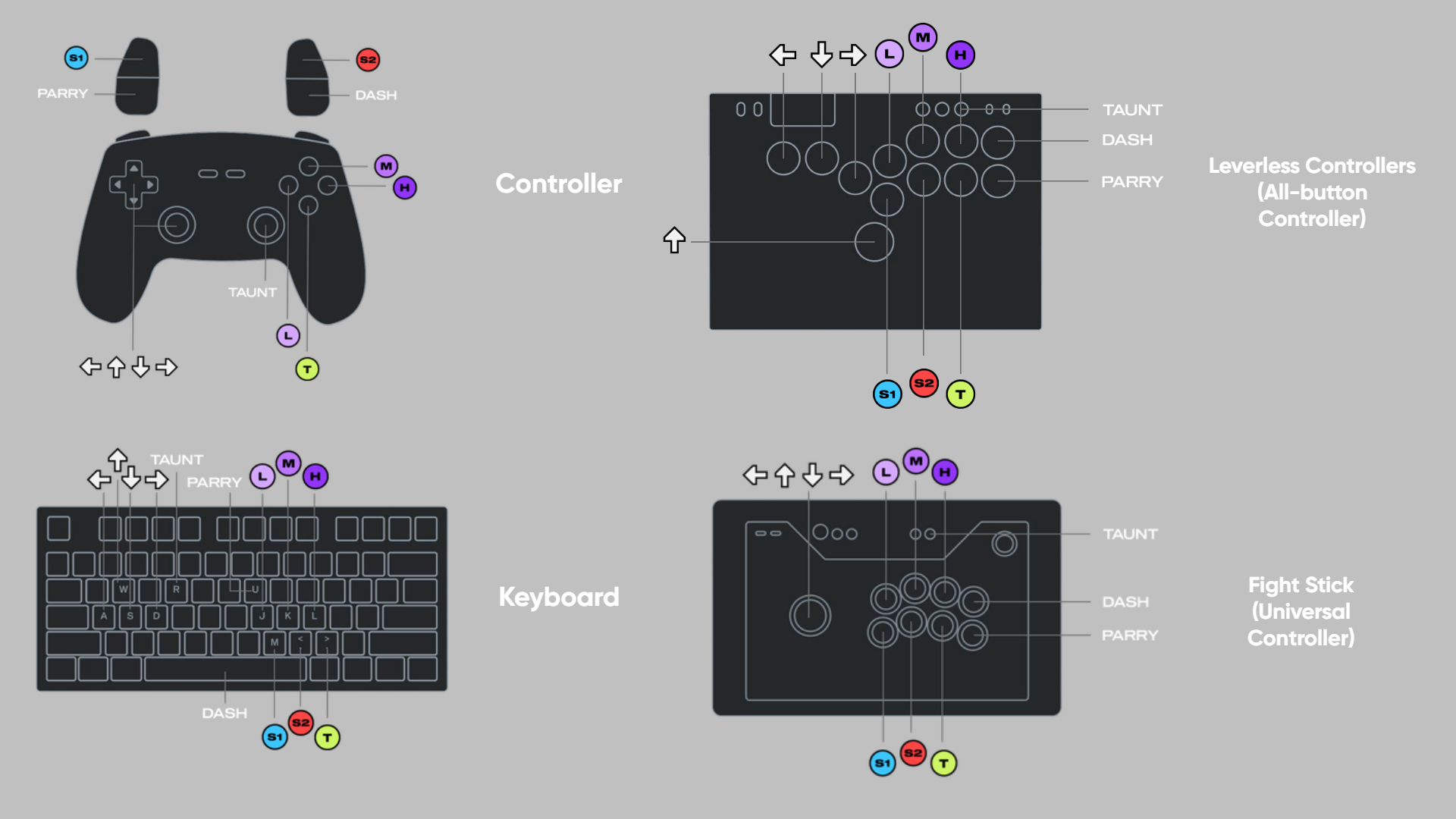
Each device has:
- 4 directional keys (WASD) or a joystick
- Light Attack (L)
- Medium Attack (M)
- Heavy Attack (H)
- Special 1 (S1)
- Special 2 (S2)
- Tag (T)
- Dash
- Parry (P)
Most players use either a controller, a keyboard, or sometimes both. On the right side of the image, you can see specialized controllers often used by professional players. These devices replace the traditional joystick with individual buttons, offering greater precision, speed, and ergonomics.
2XKO controls: Universal moves
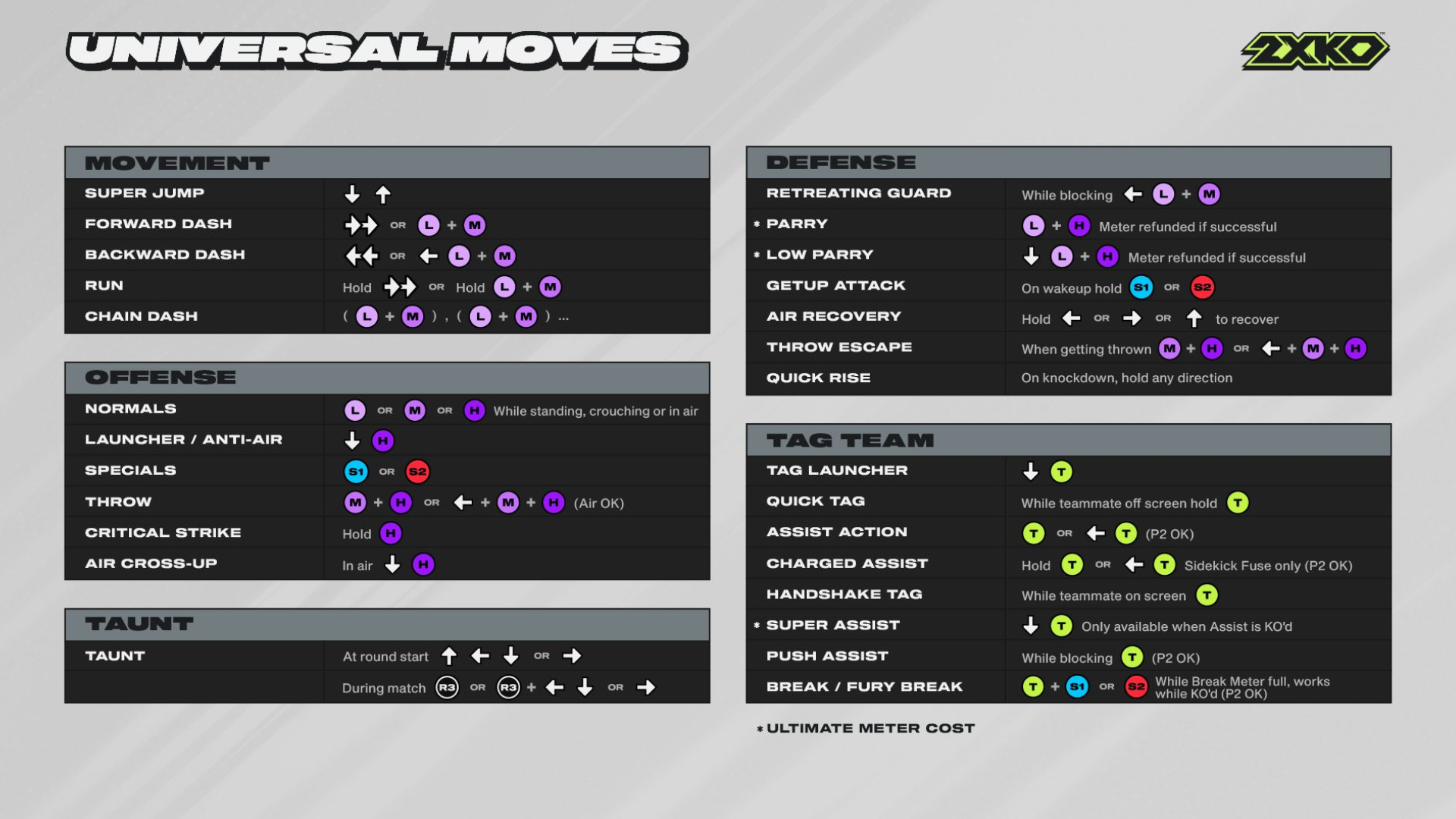
Every champion in 2XKO has universal moves. They may be performed slightly differently depending on the champion, but they remain the same across all game modes. You will need to learn about movement, taunt, offense, defense, and team moves. Take your time learning all 2XKO controls.
Movement
Just like any other fighting game, you need to move your character on the stage. We have the normal movements (walk left, right, crouch, jump), and then we have the super jump. This one will help your character perform a very high jump to start an aerial attack.
Forward and backward dashes work exactly as their names suggest, quick bursts of movement used to close the distance or retreat. Run or chain dashes, on the other hand, allow for a longer sprint or multiple rapid dashes in a row, helping you quickly get into range. Think of it as shifting from walking to sprinting in a sports game.
Offense
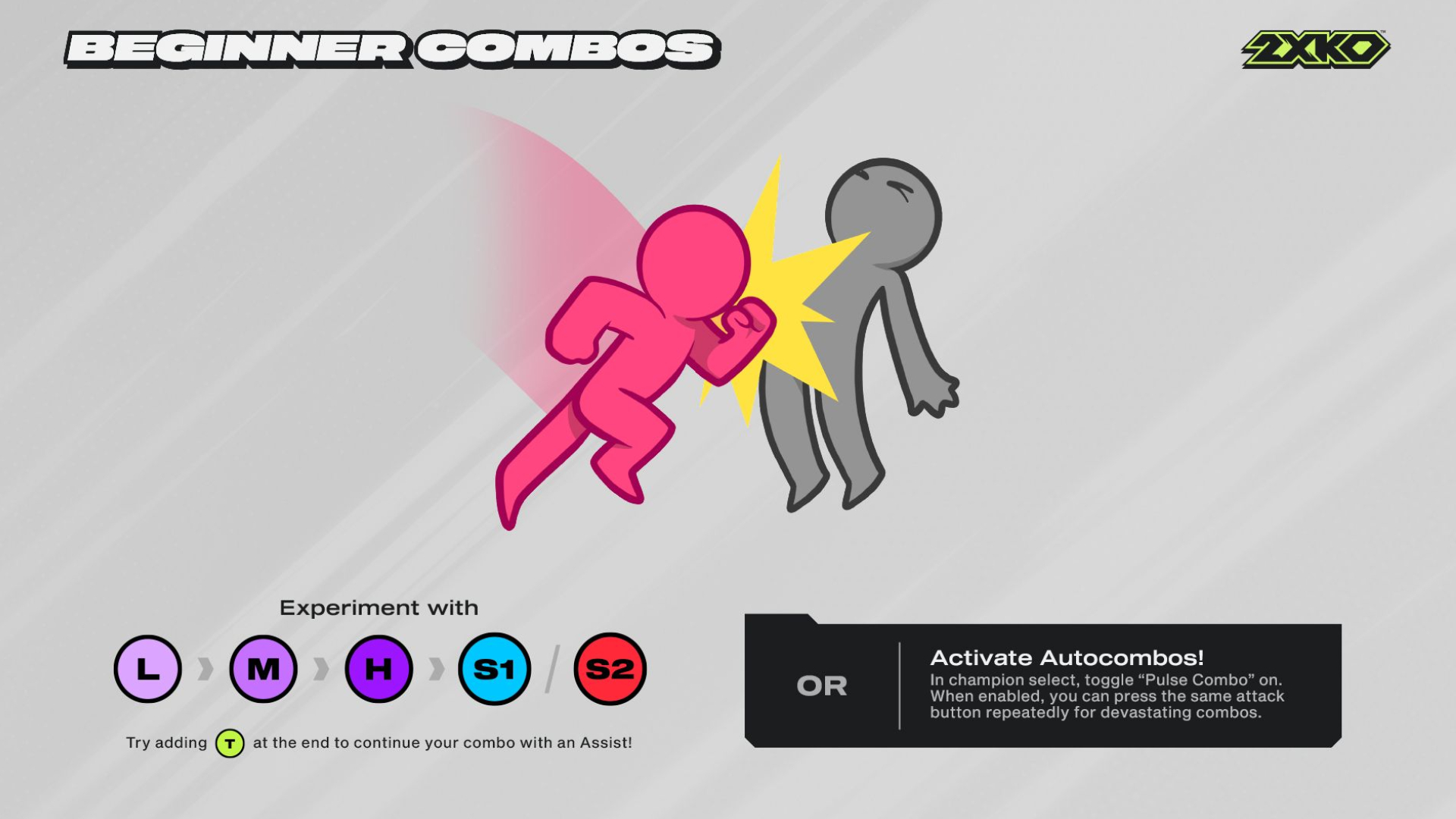
You have three main attacks to hit your enemy: light, medium, and heavy. While the light is faster, but weaker, the heavy one is slower, but stronger. The medium is a more balanced attack in terms of speed and strength. In 2XKO, we have different combos that can help you get more damage:
- Launcher: A special heavy attack that launches your opponent into the air
- Anti-Air: This move hits opponents who jump at you, like an automatic uppercut
- Air Cross-Up: When in the air, your attack hits behind your opponent, tricking their defense
- Special Moves: Press S1 or S2 for special moves (each champion has unique abilities)
- Throw: Grab your opponent and toss them. Works on the ground and in the air
- Ultimates: Stronger moves that cost meter (exactly like LoL or VALORANT). These are big attacks with cinematics that deal heavy damage to the opponent
- Level 1: press down twice + S1 or S2
- Level 2: press down twice + S1 + S2
Defense
The defensive moves will help you avoid getting hit or counter the enemy attacks. These movements will help you dodge or block attacks, so you can survive and reset the fight.
- Block: Hold away from your opponent to stop their hits
- Retreating Guard: Block while moving backwards to create space
- Parry: A quick counter move that stops an attack and refunds meter if successful (costs meter otherwise)
- Low Parry: Like a regular parry, but works against low attacks
- Get-Up Attack: When you are knocked down, pressing and holding S1 or S2 makes your character strike as they stand up
- Air Recovery: When being hit in the air, holding a direction + button lets you recover faster
- Throw Escape: Grab escape by pressing Medium + Heavy while being thrown
- Quick Rise: Button on wake-up after knockdown to get up sooner
Team/Tag moves
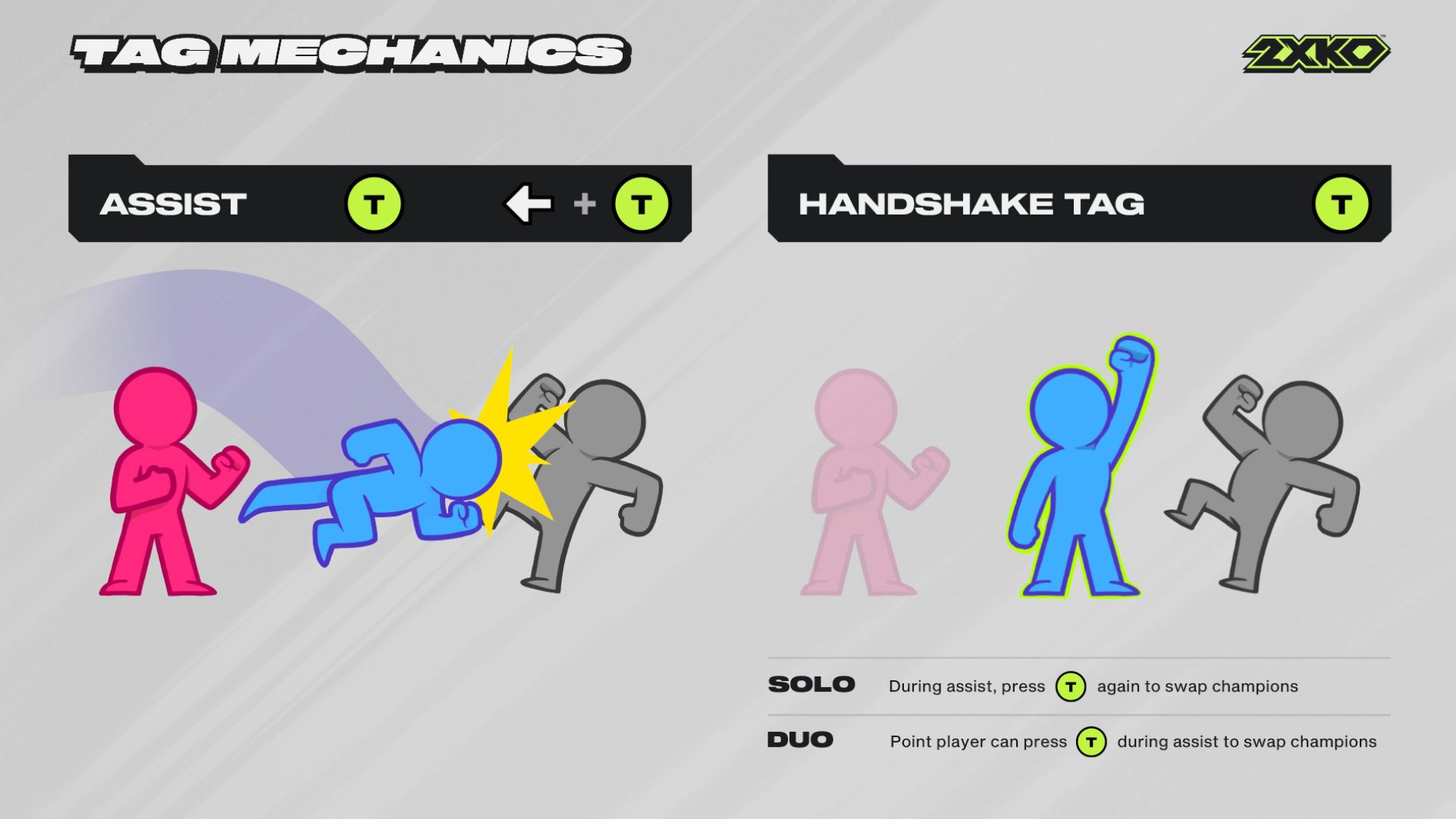
In 2XKO, you fight with two characters at once. Think of these movements as calling in your teammate for a special, coordinated play.
- Tag Launcher: Launch your opponent and switch characters right after
- Quick Tag: Switch characters quickly
- Assist Action: Call in your off-screen partner to help attack
- Charged Assist: Stronger assist attack by holding direction + Tag
- Handshake Tag: Switch characters when both are on the screen
- Super Assist: Powerful assist when your partner is KO’d
- Push Assist: Defensive assist while blocking
- Break/Fury Break: Cancels combo pressure and pushes back (costs meter)
These universal movements are very important for you to know and master the game. After you get comfortable with them, you will be able to play with any character in 2XKO. Take your time learning them, so you can have fun playing and winning matches!